
BIOS SETUP
If your computer is not setup to boot off the CD you will need to change your BIOS settings (you know that black screen you first see when you turn on your computer?). It should say press "Delete" or "F2" or "F1" to enter setup.
Many BIOS also let you choose to boot from the CD by hitting "Esc".
Please note you will need to hit whatever key is required as mentioned above extremely quickly. These steps are crucial and are a requirement to use any other product.
A screenshot of what we are talking about is shown below.
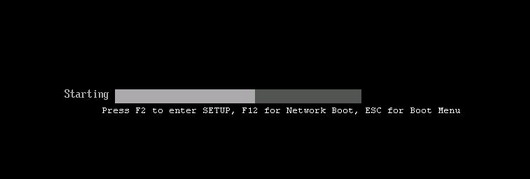
Because there are literally hundreds of different BIOS revisions we cannot provide exact details for every computer.
However, as a courtesy if you can contact us with the exact make and model of your computer we will do our best to find this information for you.
You will need to hit whatever key it tells you to hit to enter setup.
We'll give you a common screenshot of most BIOS below:
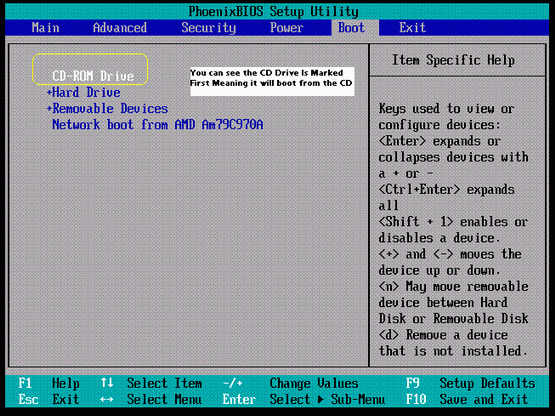
Once you are in the BIOS you will need to make sure the CDROM is at the top of the list so that your computer boots our CD instead of Windows. Please follow the on-screen instructions of your BIOS to change the BOOT ORDER so that your CDROM is on top as shown in the screenshot above.