The Free Download
Although most customers prefer to purchase and burn the full version to save time we offer a download version.
This download will verify compatibility with your system but will not get you back into Windows. To get back into Windows you will need to purchase the full version.
Please note we offer a USB version but to prevent reverse engineering attempts by our competitors we are only offering a demo of the CD version at this time.
Get Started With The Download - 3 Simple Steps
If you need assistance getting the download to work feel free to e-mail us by clicking hereStep 1 - Download
Click Here For The Free Download- For most customers around the world it should only take a few seconds whether you live in the UK, US, Canada etc.
- We have co-located servers in the best and most secure datacenters in the world capable of speeds up to 1000mbit per second , that's about 1000 times faster than most highspeed connections.
Step 2 - Burn The Download Onto A CD
- You must burn the .ISO file as an IMAGE or the disc will not work or boot!
- If you need burning software we provide one of the best solutions on the market called ImgBurn Click Here To Download and install ImgBurn
If you are familiar with burning .iso image files you may use any software you already have such as Nero, Sonic, Roxio etc.
To be sure you have burned the disc correctly you should see a folder called "isolinux" on the disc. If you don't the disc was not burned correctly and will not work. Simply reburn the ISO image properly if you have burned it incorrectly.
Here is the process using ImgBurn Step-By-Step:
Open ImgBurn
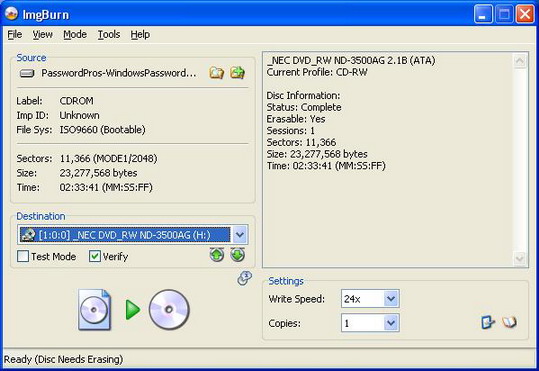
Drag the ISO file into ImgBurn or navigate ImgBurn to the location of the download file (passwordpros-demo.iso).
Then click the icon of the CD to burn the disc.
**IMPORTANT**:Make sure the "Test Mode" checkbox is clear and NOT checked otherwise the disc will not be burned at all. Everything should appear as you see in the screenshot above.
Step 3 - Boot The CD
Many computers are already setup to boot directly from the CD or DVD drive.IMPORTANT NOTES BEFORE YOU GET STARTED
Simply insert the disc you burned into your CD or DVD drive. Restart or Power On your computer as normal.
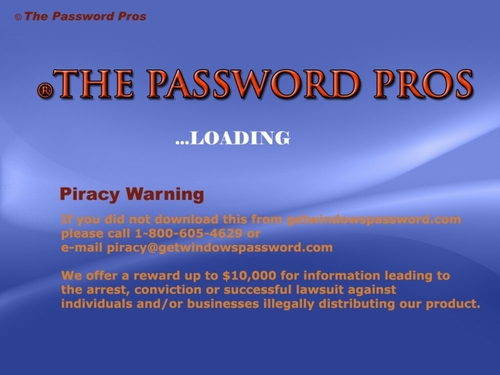
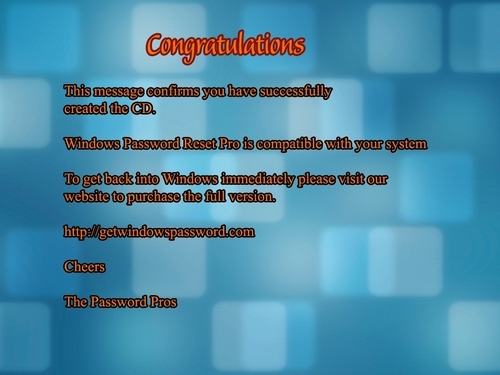
If you don't see the screens below it means you either did not burn the disc correctly or your computer's BIOS is not setup correctly to boot from CD. Click Here For Information On How To Setup Your BIOS